Download your master
Every finished master comes as three files: a 24-bit WAV, a 16-bit / 44.1 kHz WAV and an MP3 320. On Unlimited the buttons download the file straight away. On a free account, the first press asks you to pay for that track or join Unlimited.
What you need
A finished master. See Master a track.
Unlimited, at $15 a month or $99 a year, or $4.99 to buy one track. Every paid option includes all three files.
Jump to a step
In the pictures, a blue ring marks the button or line the step is about.
1. Open the song
Press Songs & masters in the sidebar (Songs in the bar at the bottom of a phone) and choose the song. If you have just made the master, you can stay on its job page instead: the same buttons are under Delivery.

What you will see · Songs & masters · a song cardOpen full size · Screenshot from the app
2. Choose a format
Under Download your full-level master, press the file you want: 24-bit WAV master, 16-bit / 44.1 kHz WAV (the CD format) or MP3 320. All three are the master you heard, at its full level.
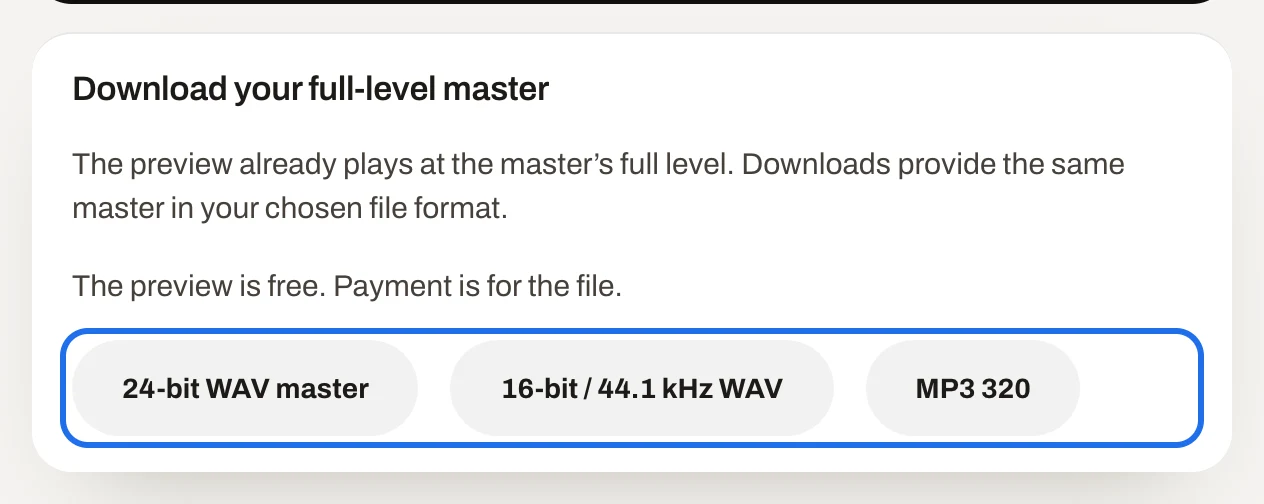
What you will see · Download your full-level masterOpen full size · Screenshot from the app
3. Save the file
On Unlimited
The file downloads straight away, to wherever your browser saves downloads. Press another button for another format.
3. Choose how to pay
On a free account
A window opens, Get your master. Choose Unlimited at $15 a month (tick Bill annually for $99 a year), or $4.99 — this track to buy this master alone. Not now closes the window; the preview stays free.
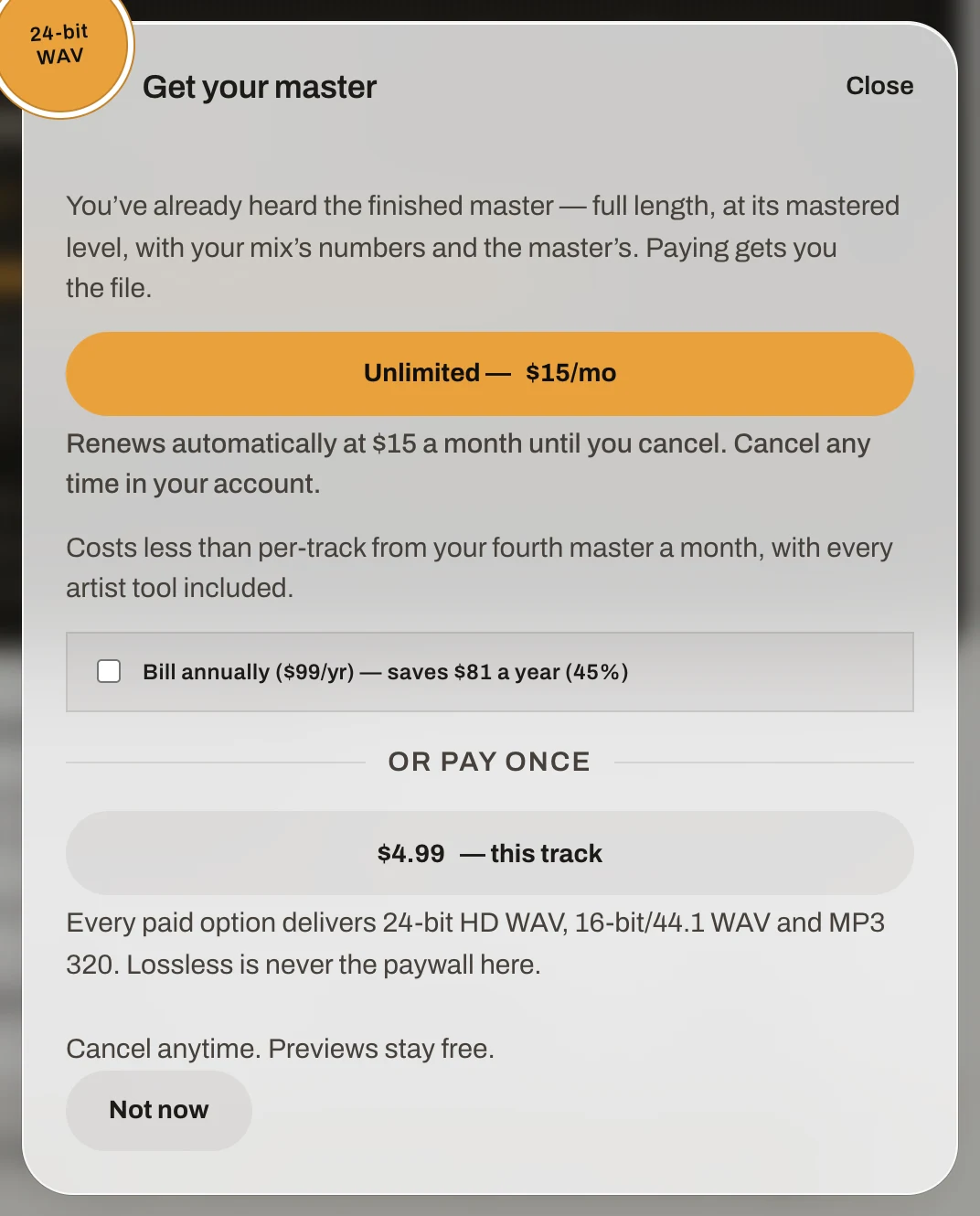
What you will see · The Get your master windowOpen full size · Screenshot from the app
4. Pay, then download
You pay on Stripe's checkout page. When the payment goes through you come back to the master's job page, which says Payment received. Your master is ready to download. Press the format you want.
Paid plans and downloads are not on sale in the EU or UK yet. From there, Get your master says so when you choose how to pay, and free previews still work.
Changing or cancelling Unlimited: see Change or cancel your plan.