Fix a master that failed
A master can stop in two places: on the upload page, before the file is sent, or on the job page, after mastering starts. Either way the page says why. Find the message below to see what to do.
- Before the file is sentThe upload page refuses the fileSee what to do
- After mastering startsThe job page says Not deliveredSee what to do
Jump to a section
In the pictures, a blue ring marks the button or line the step is about.
The upload page refuses the file
The upload page checks the file before sending it. If it can't take it, a line appears under Browse files and nothing is uploaded. For a free account, a 13-minute track reads This track is 13:00 long. The limit is 12 minutes.
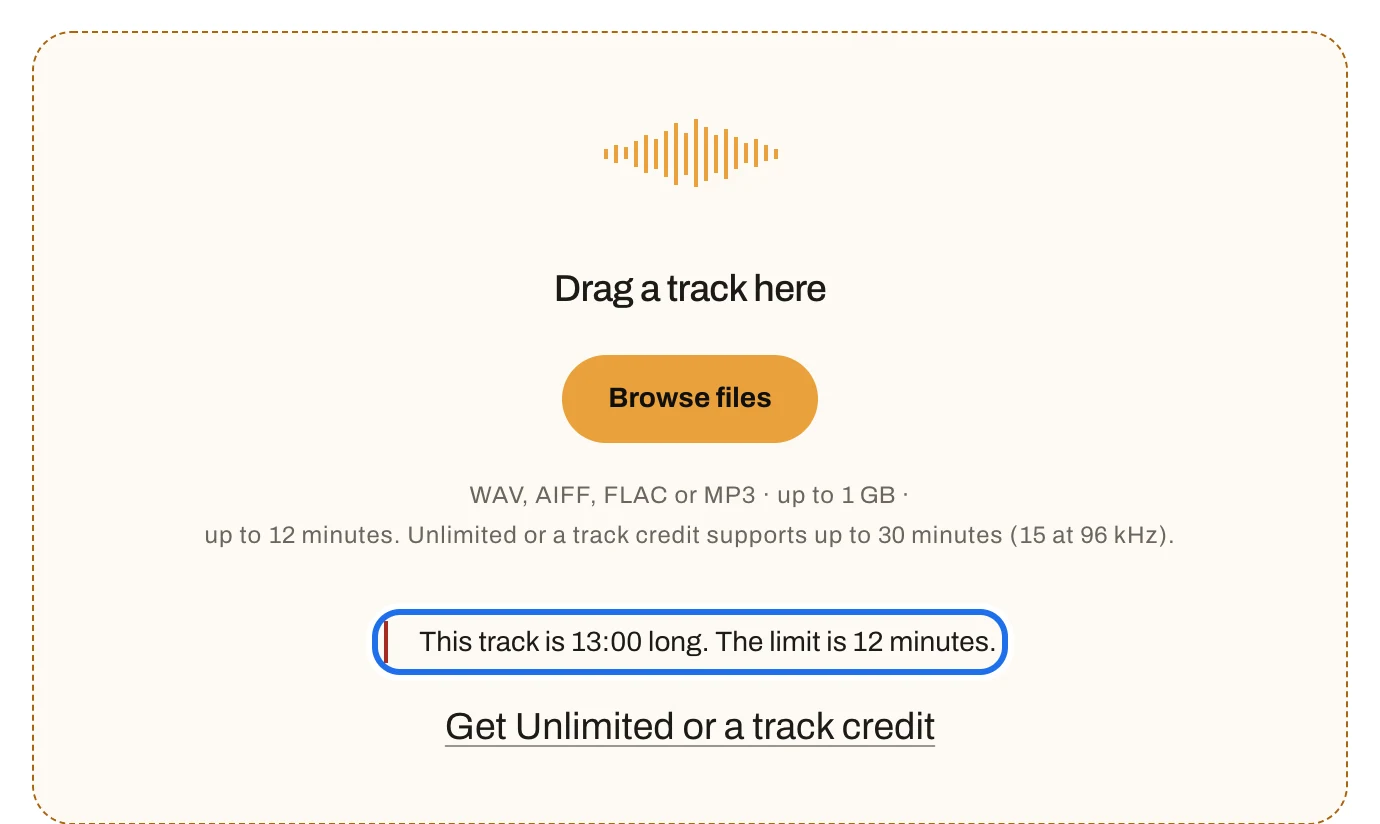
What you will see · Upload page · the drop areaOpen full size · Screenshot from the app
- The refusal, in red: This track is 13:00 long. The limit is 12 minutes.
- What the page takes: Tracks can be up to 12 minutes. Unlimited or a track credit supports up to 30 minutes at 48 kHz or below (15 minutes at 96 kHz)..
The page takes WAV, AIFF, FLAC or MP3, up to 1 GB, at 44.1 kHz to 96 kHz, mono or stereo, from 2 seconds. Tracks can be up to 12 minutes. Unlimited or a track credit supports up to 30 minutes at 48 kHz or below (15 minutes at 96 kHz). Export the mix again within those limits, then add it.
Every line the upload page can show
Read from the upload page’s own checks. Words like length are filled in from your file.
Not a supported audio file — use WAV, AIFF, FLAC or MP3.
Link to this messageSample rate rate Hz is outside the supported 44100–96000 Hz range.
Link to this messagecount-channel audio isn't supported — export mono or stereo.
Link to this messagedepth-bit audio isn't supported — export 16, 24 or 32-bit; 20-bit WAV and 8, 12 or 20-bit FLAC also work.
Link to this messageWAV file is missing its fmt chunk — the file may be corrupt.
Link to this messageCompressed AIFF-C (compression) isn't supported — export uncompressed AIFF or WAV.
Link to this messageAIFF file is missing its COMM chunk — the file may be corrupt.
Link to this messageFLAC file is missing its STREAMINFO block — the file may be corrupt.
Link to this messageThis track is length long. The limit is 12 minutes.
Link to this messageThis track is length long. The limit is 30 minutes. Trim the track, then upload it again.
Link to this messageThis track is length long at rate kHz. The limit at this sample rate is limit at this sample rate. Export it at 48 kHz or trim it.
Link to this messageThis track is only length long. The shortest track that can be mastered is 2 seconds.
Link to this message
The job page says Not delivered
If mastering stops, the job page's status reads Failed and Not delivered gives the reason. When the problem is in the file, the button reads Upload a different track; when it is on our side, it reads Try again.

What you will see · Job page · Not deliveredOpen full size · Screenshot from the app
- Not delivered: mastering stopped.
- The reason, in the job page’s words.
- The button: Upload a different track when the file is the problem, Try again when the problem is on our side.
Every message, and what to do
The problem is in the file
If the page shows
Press Upload a different track, fix the file and upload it again. The same file fails the same way every time.
We couldn't read this file as WAV, AIFF, FLAC or MP3.
Link to this messageSample rate must be between 44.1 kHz and 96 kHz.
Link to this messageStandard: This attempt supports up to 12 minutes. Choose a shorter track, or use Unlimited or a track credit for a new long-track attempt. Paid: This attempt supports up to 30 minutes at 48 kHz or below (15 minutes at 96 kHz). Export at 48 kHz or trim the track, then upload it again. Historical attempts: Tracks can be up to 12 minutes long, or 6 minutes above 48 kHz. Export at 48 kHz or trim the track, then upload it again.
Link to this messageFiles over 1 GB aren't supported.
Link to this messageThis file can't be mastered: its audio is damaged, silent, or shorter than 2 seconds.
Link to this message
The problem is on our side
If the page shows
Press Try again on the job page. If it fails again, tell us with Send feedback in the sidebar.
A file the engine needs is unavailable right now. Try again in a few minutes.
Link to this messageThe master didn't pass our quality checks, so we didn't deliver it. Try again — and if it repeats, we're already looking at it.
Link to this messageSomething went wrong while mastering this track. Try again.
Link to this messageOur mastering engine stopped before finishing this track, on every attempt. This is on us — try again shortly.
Link to this message
No message here matches those words. The job page’s message is the line under Not delivered; if yours is not listed, contact us with the job page’s address.
Back to Master a track.